Registry Security Settings for Signed Scripts
M. Gallant 10/11/2002
Windows XP offers advanced capability for contolling the execution capability of software called
"Software Restriction Policies".
This capability is particularly useful in controlling web-born
scripts which have recently be used for malicious purposes. For older version of the Windows OS with
WSH5.6 installed, security-control of digitally-signed scripts is available.
To configure security for WSH5.6 signed scripts, the following registry setting can be used:
HKLM\Software\Microsoft\Windows Script Host\Settings\TrustPolicy
REG_DWORD values are:
0=Run unsigned scripts with no warnings (default)
1=Prompt for permission and display suitable warnings for both signed and unsigned scripts
2=Unsigned scripts don't run; signed scripts that are trusted (CA issuer known) run without warning.
[WinXP Note: WinXP is configured by default to use "Software Restriction Policies" based
on registry settings, but can be configured to use the TrustPolicy settings discussed here.
See the discussion
TrustPolicy isn't working in Win XP
and in particular this response.
A concise summary: New Registry Entries for WSH V5.6
The image below shows the registry entry for Win2000:

Here is a downloadable self-extracting hta (html application) utility which facilitates
changing the required registry setting, and viewing the status of the setting.
For a TrustPolicy value of 1, security status windows are shown for both signed and unsigned
scripts, as shown below. The user has the option to run the unsigned script, if he/she so chooses
at their own risk. For the signed-script, the signature on the script is verified, and the user has
the opportunity to view the code-signer's certificate details:
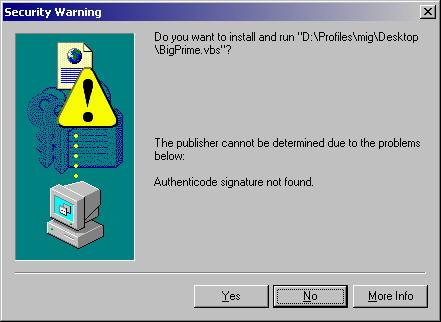
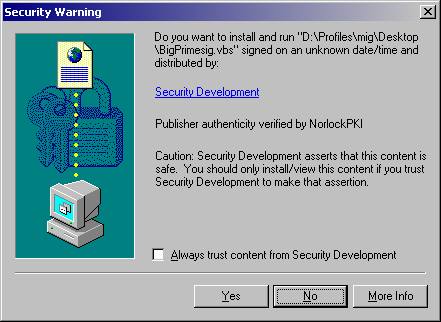
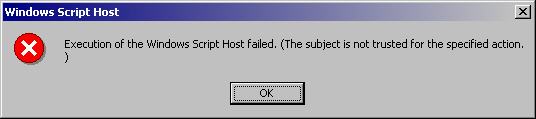
If the user refuses to accept the signed or unsigned script by clicking the No button,
the script will not execute, and the situation is reported:
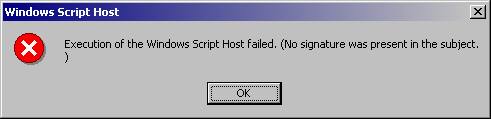
For a TrustPolicy value of 2, signed and trusted scripts run automatically, after the signature integrity is
verified, without the option to view the certificate. Unsigned or signed but untrusted scripts report the absence of a
signature, and the script will not execute, with no option to allow it:
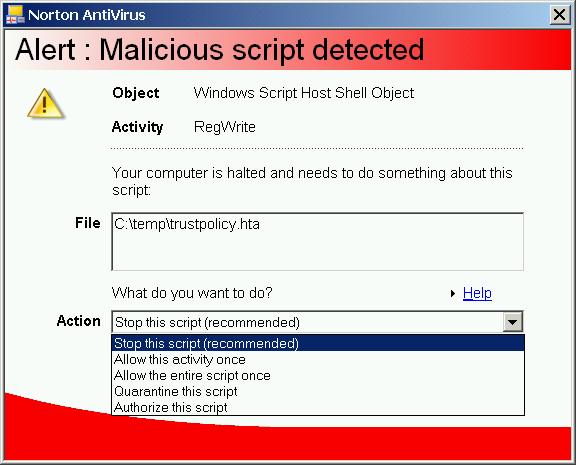
Norton Antivirus 2002 Script Blocking Functionality:
Norton AntiVirus 2002 (v 8.x) offers Script Blocking capability. When a script (vbs, js) perfoms an
operation that might be considered malicious, NAV detects this (if the feature is enabled in Options) and
displays the following dialog:
This functionality would typically be disabled for developers developing scripts extensively, or in
environments where scripts are used extensively by users.